Map. Monitor. Master your homelab.
Self-hosted visual canvas for your network. Drag, document and watch every device live — now native in Home Assistant.
Every device. One canvas.
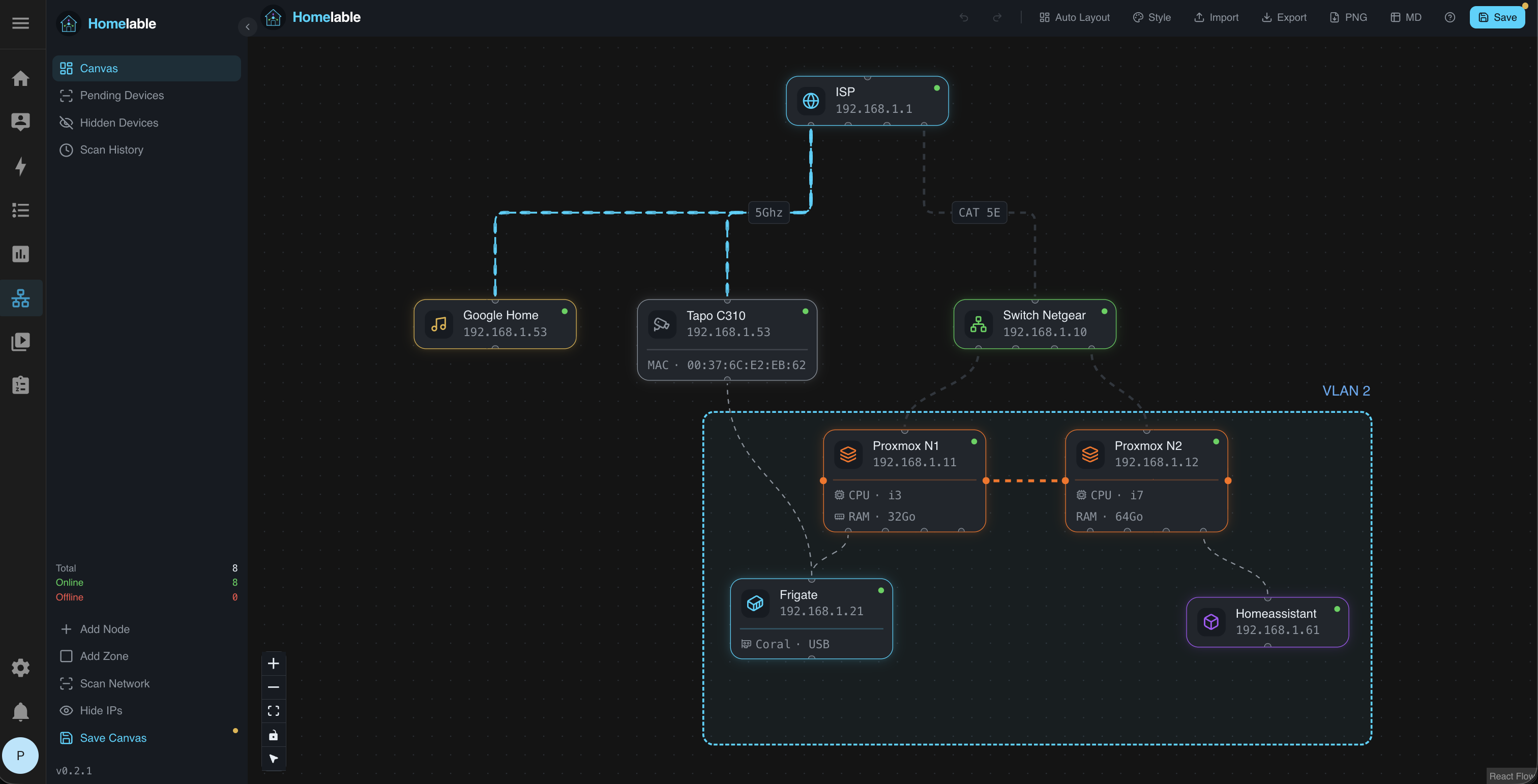
15 native node types covering routers, hypervisors, containers, IoT, Zigbee/Z-Wave and more. Nest VMs and LXC inside Proxmox hosts.
Network scan, then live status.
nmap-powered discovery sweeps your subnets, fingerprints services and queues unknown devices for review. Approve to add them to the canvas — instantly.
- ping ICMP reachability
- http HTTP 2xx / 3xx
- https TLS endpoint
- ssh TCP/22 banner
- tcp Custom port
- prometheus Scrape /metrics
APScheduler · 60s default · WebSocket push to UI
Zigbee & Z-Wave mesh, fully mapped.
Import both your wireless mesh networks in one click — no manual wiring. Controllers, routers and end devices land on the canvas with their real RF links and live status.
Zigbee
Pull your entire Zigbee network from zigbee2mqtt. Coordinator, routers and end devices appear with their actual mesh links, auto-laid out.
- Coordinator Central Zigbee controller
- Router Mesh signal repeater
- End Device Sensor, bulb, switch…
- Links Dashed mesh topology edges
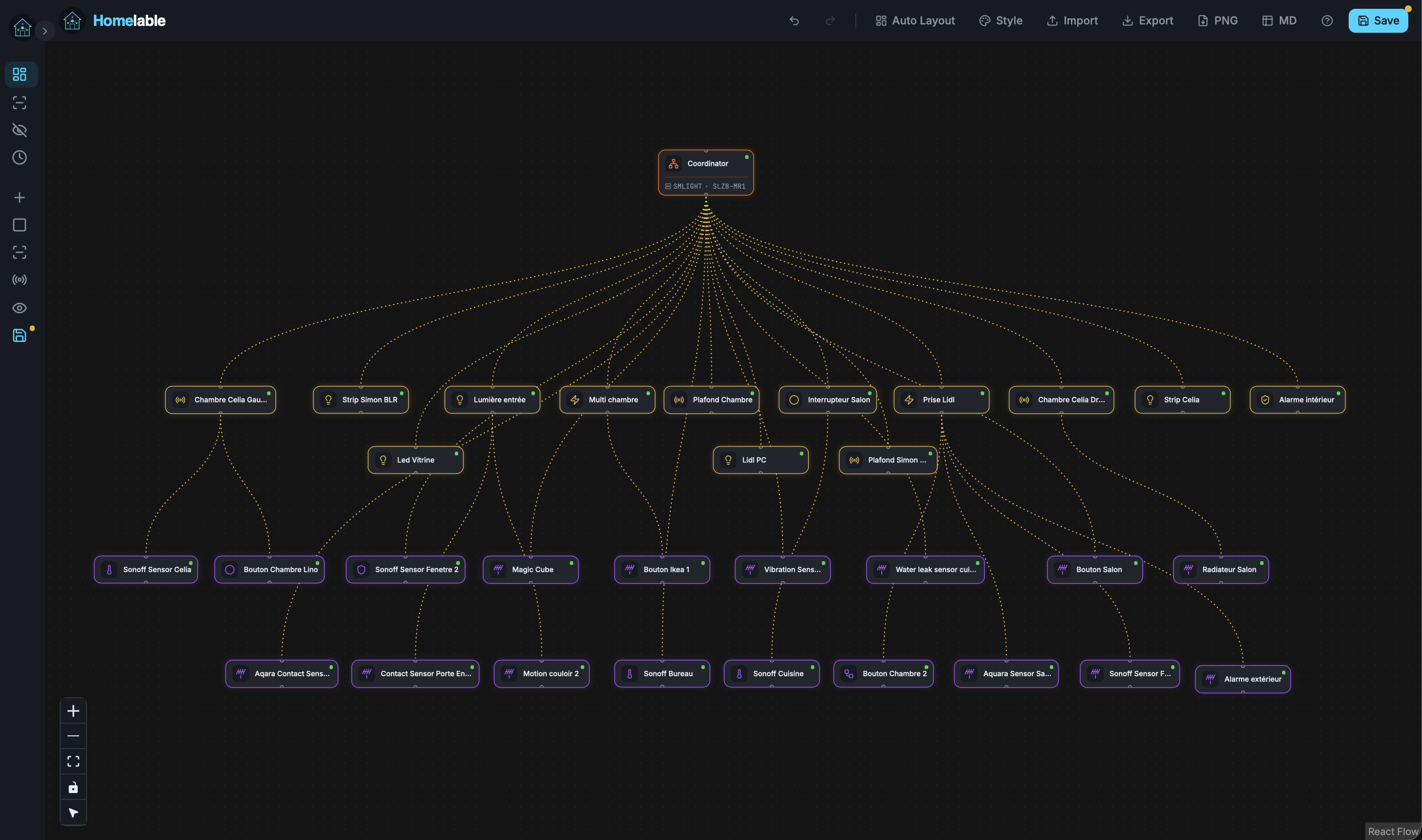
zigbee2mqtt · auto-layout · coordinator → router → end device
Z-Wave
Connect Z-Wave JS and Homelable maps your whole Z-Wave mesh : controller, routing nodes and sleeping battery devices.
- Controller Z-Wave JS primary hub
- Routing Node Mains-powered repeater
- Sleeping Node Battery sensor / lock
- Links Dashed RF mesh routes
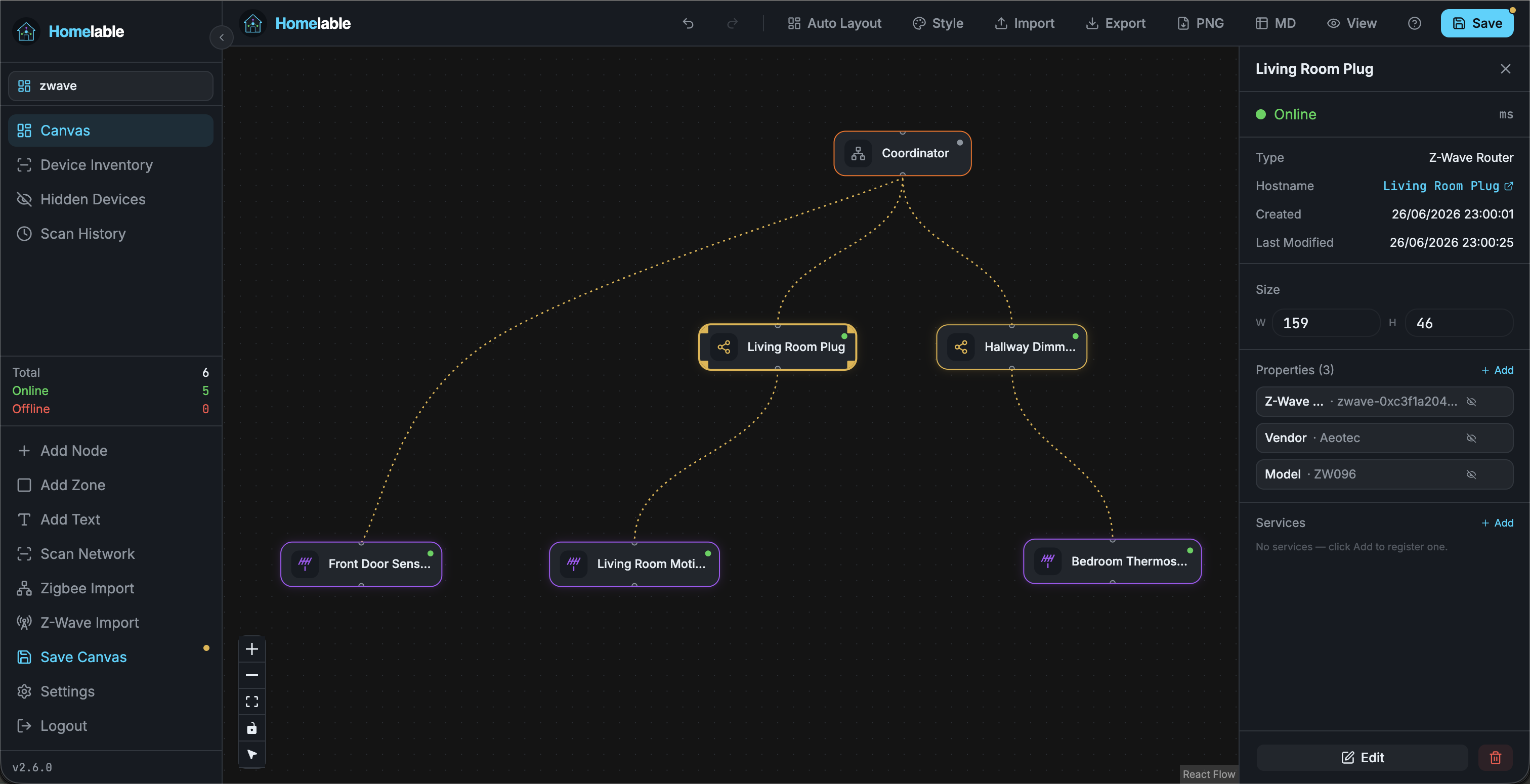
Z-Wave JS · auto-layout · controller → routing node → sleeping node
Native in Home Assistant.
Same canvas, same nodes, inside your HA sidebar. Uses HA auth — no extra Docker, no extra login. Install in three clicks via HACS.
- 1 Open HACS → Custom repositories
- 2 Add https://github.com/Pouzor/homelable-hacs
- 3 Restart Home Assistant. Find Homelable in sidebar.
Deploy your way.
Three install paths. Pick the one that fits your stack.
Docker
recommendedOne compose file. Frontend + backend + SQLite.
docker compose up -dLXC (Proxmox)
Community ScriptsOne-line bootstrap for a fresh Proxmox container.
bash -c "$(curl -fsSL https://raw.githubusercontent.com/community-scripts/ProxmoxVE/main/ct/homelable.sh)"HACS
Home AssistantNative integration. Uses HA auth. No Docker required.
HACS → Custom repositoryBuilt for homelabbers.
All local
Self-hosted, zero telemetry. Your topology never leaves your network.
Auto-layout
Dagre hierarchical layout. One click, clean topology.
Live status
WebSocket push. Green / red / pending pulses on the canvas.
Device inventory
Searchable list of every device — IP, ports, type, status at a glance.
Pending review
Approve / hide / delete each discovered device.
Multiple boards
Split your homelab into several boards — per site, rack or purpose.
Service monitoring
Track HTTP, SSH and custom services. Up / down alerts per host.
Auto discover
More time for beautiful schemas. Devices found automatically.
PNG / SVG export
Document your network in tickets, wikis, runbooks.
Import from Proxmox
One click, import all your Proxmox cluster — hosts, VMs and LXC, with scheduled auto-sync.
MCP server
Optional AI-driven topology operations.
Custom style
Tweak colors, icons and node looks — make it yours.
Free forever. Built solo.
Homelable is open source under MIT. No telemetry. No SaaS. Coffee fuels commits — if it's useful in your homelab, consider supporting the project.